Charter Quote Pro
The all-in-one platform for charter bus companies to manage quotes, trips, fleet, and customers
Available on desktop, tablet, and smartphone • Add to home screen for app-like experience
The First & Only Platform to Bring
Full AI to Motor Coach Companies
Charter Quote Pro is pioneering AI-powered fleet management across the United States. No other platform in the motor coach industry comes close. We didn't just add AI as a feature — we built the entire platform around it.
From intelligent quoting to AI-driven P&L insights, automated follow-ups, and OCR document extraction — Charter Quote Pro puts the power of artificial intelligence to work for your business, 24/7.
80%
Faster Quoting
vs. manual spreadsheets
< 60s
Quote Generation
with full route & cost analysis
3x
More Margin Visibility
per-mile profit on every quote
100%
Quote Accuracy
live Google Maps routing
AI Margin Optimization
The AI analyzes deadhead miles, live miles, fuel costs, driver pay, and hotel expenses simultaneously — then shows you mileage, daily-rate, and target-price quotes side by side with full profit breakdowns so you never undercharge again.
Google Maps Precision Routing
Live Google Maps integration auto-calculates exact mileage for every route — including multi-stop itineraries, garage deadhead miles, and return legs. No more estimating. No more guessing. Just exact numbers.
Real-Time Cost Intelligence
Fuel price per gallon, MPG, hotel costs, relief drivers, tolls, gratuity — every variable is factored in instantly. Change one number and every cost cascades automatically. Quote smarter, not harder.
Quote-to-Trip in One Click
Accepted quotes auto-generate trips, assign drivers, and trigger invoice creation — completely hands-free. Your team stops doing admin and starts growing the business.
AI Follow-Up Engine
Sent a quote and heard nothing back? The AI sends perfectly-timed follow-up emails automatically — 3 days, 7 days, 14 days — with personalized messaging that converts prospects into confirmed bookings.
AI Financial Insights
Our AI reads your P&L and tells you where you're winning and where you're bleeding money. Spot your highest-margin routes, best customers, and peak revenue periods — all powered by machine intelligence.
See the AI Revolution in Action
Watch a live demo and see why Charter Quote Pro is the first and only AI-powered platform built exclusively for the motor coach industry.
Everything You Need to Run Your Fleet
Streamline operations, increase efficiency, and grow your charter bus business
Smart Quoting
AI-powered quoting engine generates precise, profitable quotes in seconds — Google Maps routing, multi-vehicle, hotels, and live margin analysis built in
Trip Management
Schedule trips with multi-stop routing and automatic arrival time calculations
Customer Portal
Self-service portal for customers to book, track, and manage trips with live GPS
Auto-Invoicing
Automatic invoice generation with Stripe payments and partial payment support
Fleet Maintenance
Track vehicle maintenance with mileage-based alerts and work order automation
Turn Inspections
Daily inspections with photo documentation and automatic work order creation
Automated Reporting
Schedule and email fleet, driver, financial, and inspection reports automatically
Google Maps Routing
Interactive route maps with multi-stop waypoints and real-time mileage calculation
Mobile & Offline
Work offline with automatic sync for inspections, work orders, and time entries
Email Marketing
Create campaigns with A/B testing and advanced segmentation
Farm-Out Management
Subcontract trips to partner companies with COI tracking, compliance alerts, and automated emails
Time Clock System
Public time clock with mobile support and automatic payroll integration
CRM & Support
Support tickets, contact logs, and internal customer notes in one place
Live GPS Tracking
Real-time driver tracking with customer-facing monitoring and ETAs
Recurring Automation
Recurring quotes, trips, and automated follow-up emails
Relay Logistics
Coordinate multi-leg trips with driver handoffs at relay points for long-haul routes
W9 & COI Documents
Store and send your W9 and Certificate of Insurance directly from quote emails, and manage incoming COI requests from customers
File Sharing & Cloud Integration
Centralized document library with folder permissions, file requests (no login), approval workflows, e-signatures, and automatic upload notifications
AI Document OCR Extraction
AI-powered document scanning automatically extracts metadata, suggested tags, and folder organization from PDFs and images
Video Meetings
Built-in HD video meetings with screen sharing, annotations, recording, and AI summaries — schedule with drivers, staff, and customers right from a reservation

One Platform for the Whole Operation
Quoting, dispatch, maintenance, compliance and billing working from the same fleet data.
Enterprise-Ready Platform
Built for growing businesses with multi-company support and advanced team management
Multi-Company Support
Manage multiple companies from a single platform with separate data and users
Role-Based Permissions
Create custom roles with granular permissions for precise access control
Budgeting & P&L
Set expense budgets, revenue goals, and track profitability with detailed financial reporting
Automated Reporting
Schedule fleet, driver, financial, and inspection reports with advanced filtering
Mobile Offline Support
Work orders and inspections work offline with automatic sync when connected
Time Clock & Payroll
Public time clock for staff with automatic timecard creation and payroll processing
Unlimited
Companies
Role-Based
Access Control
Secure
Data Isolation
1-Click
User Onboarding

Built for Growing Teams
Multi-company support, role-based access and secure data isolation as your operation scales.
Why Choose Charter Quote Pro?

80%
Time Saved
Seamless Third-Party Integrations
Connect your favorite tools to streamline operations and automate workflows
Stripe
Accept credit card payments securely. Customers pay invoices online with full or partial payments.
- • Secure checkout page
- • Partial payment support
- • Automatic receipt emails
- • PCI-compliant processing
Twilio
Send SMS notifications for trip updates, reminders, and real-time alerts to customers and drivers.
- • Trip status updates
- • Driver assignment alerts
- • Delay notifications
- • Automated reminders
QuickBooks
Sync invoices, customers, and payments with QuickBooks Online for seamless accounting.
- • Auto-sync invoices
- • Customer data sync
- • Payment reconciliation
- • Financial reporting
Google Calendar
Sync reservations to each staff member's Google Calendar so trips stay visible alongside their daily schedule.
- • Per-user Google account connection
- • Reservation calendar event sync
- • Connect from Settings → Integrations
- • Updates existing calendar events
Google Drive
Import files from Google Drive with share links or enable full OAuth sync for seamless cloud integration.
- • Share link imports
- • Full OAuth sync
- • Team drive support
- • Cloud shortcuts
Microsoft OneDrive
Connect OneDrive and SharePoint with share links or full OAuth sync for your document library.
- • SharePoint integration
- • OAuth sync setup
- • Business account support
- • Cloud shortcuts
Motive
Integrate Motive (formerly KeepTruckin) for ELD compliance, live GPS tracking, DVIR inspections, and fleet management.
- • ELD & HOS compliance sync
- • Live GPS vehicle tracking
- • DVIR & inspection reports
- • Driver & vehicle auto-sync
- • IFTA mileage reporting
- • Fault code & engine diagnostics
- • HOS violation alerts
- • Webhook-driven real-time updates
Meet With Anyone,
Without Leaving Charter Quote Pro
Video meetings are now built into the system you already run your company on. Brief drivers, walk customers through their trip and train your team, all tied to the reservations and people already in your account.

Your dispatch office, your drivers and your customers, face to face
Start a call from any reservation in one click. Everyone joins from a link, with nothing to install.
HD Video, Right in the App
Start a face-to-face call from any reservation, the Meetings page or the driver and customer portals. Video, audio, chat, raised hands and a waiting room are all included.
Schedule in Seconds
Pick a date, time and length, add an agenda and invite drivers, staff, technicians or customers from lists you already keep. Invitations go out by email and text.
Automatic Reminders
Reminder emails go out 1 day, 1 hour and 15 minutes before the meeting, with the join button, agenda and documents inside.
Share Documents
Attach itineraries, contracts, route maps or safety policies to the meeting so everyone has the right file before the call starts.
Screen Share & Annotate
Walk a customer through a quote or train a new dispatcher by sharing your screen, drawing on it and handing over remote control when it helps.
AI Meeting Summaries
Turn on AI notes and everyone gets an emailed summary of each topic discussed, the decisions made and the action items, with an optional word-for-word transcript.
How charter companies use it every day

Driver briefings
Hold pre-trip safety meetings, go over a complicated route or check in with a driver on the road. Drivers join from their phone with one tap.

Customer walkthroughs
Review an itinerary, the pickup plan or a shuttle program schedule with the event planner, tied to their reservation.
Team & staff meetings
Weekly dispatch huddles, maintenance reviews and staff training, recorded and summarized automatically for anyone who missed it.
As easy as it gets
Click "New Meeting" on any reservation or the Meetings page
Choose who to invite. Your drivers, staff and customers are already listed
Everyone joins from the link in any browser. No downloads, no accounts
One less subscription to pay for
Stop paying separately for video calls, AI note-takers and scheduling tools. They are already part of Charter Quote Pro.
Quoting, dispatch, drivers, maintenance, invoicing, payroll, compliance and now meetings, all in one system. Always building.
Self-Service Customer Portal
Give your customers a premium experience with their own dedicated portal. From booking to tracking to payments, everything they need is at their fingertips.
Request & Book Quotes
Customers can request quotes online and book directly from accepted quotes with just a few clicks.
- • Submit quote requests 24/7
- • View and compare quotes
- • One-click booking
Live Driver Tracking
Real-time GPS tracking with estimated arrival times so customers always know exactly where their driver is.
- • Real-time map view
- • ETA updates
- • Driver contact info
Save Favorite Routes
Save frequently used routes for quick rebooking. Perfect for recurring trips and regular customers.
- • Save unlimited routes
- • Set recurring preferences
- • One-click rebooking
Trip Modifications
Request changes to dates, times, or addresses with approval tracking and staff notes.
- • Submit change requests
- • Attach supporting files
- • Track approval status
Download Documents
Access invoices, quotes, and payment receipts as professional PDFs anytime.
- • Download invoices
- • Get payment receipts
- • View trip history
Direct Messaging
Contact your team directly through the portal with automatic email notifications to staff.
- • Send messages anytime
- • Attach documents
- • Get quick responses
New customers can create an account right from the quote request form

A Premium Experience for Your Customers
Quotes, bookings, documents, live tracking and payments — all self-service, around the clock.
IFTA Fuel Tax Reporting
Automate your quarterly fuel tax reporting with jurisdiction tracking, automated calculations, and audit-ready documentation
IFTA Reporting
Complete quarterly fuel tax reporting with automatic jurisdiction tracking and tax calculations
Fuel Tax Compliance
GPS-based mileage allocation, current tax rates, and perfect IFTA compliance
Bulk Fuel Import
Import hundreds of fuel records from CSV with validation and automatic jurisdiction detection
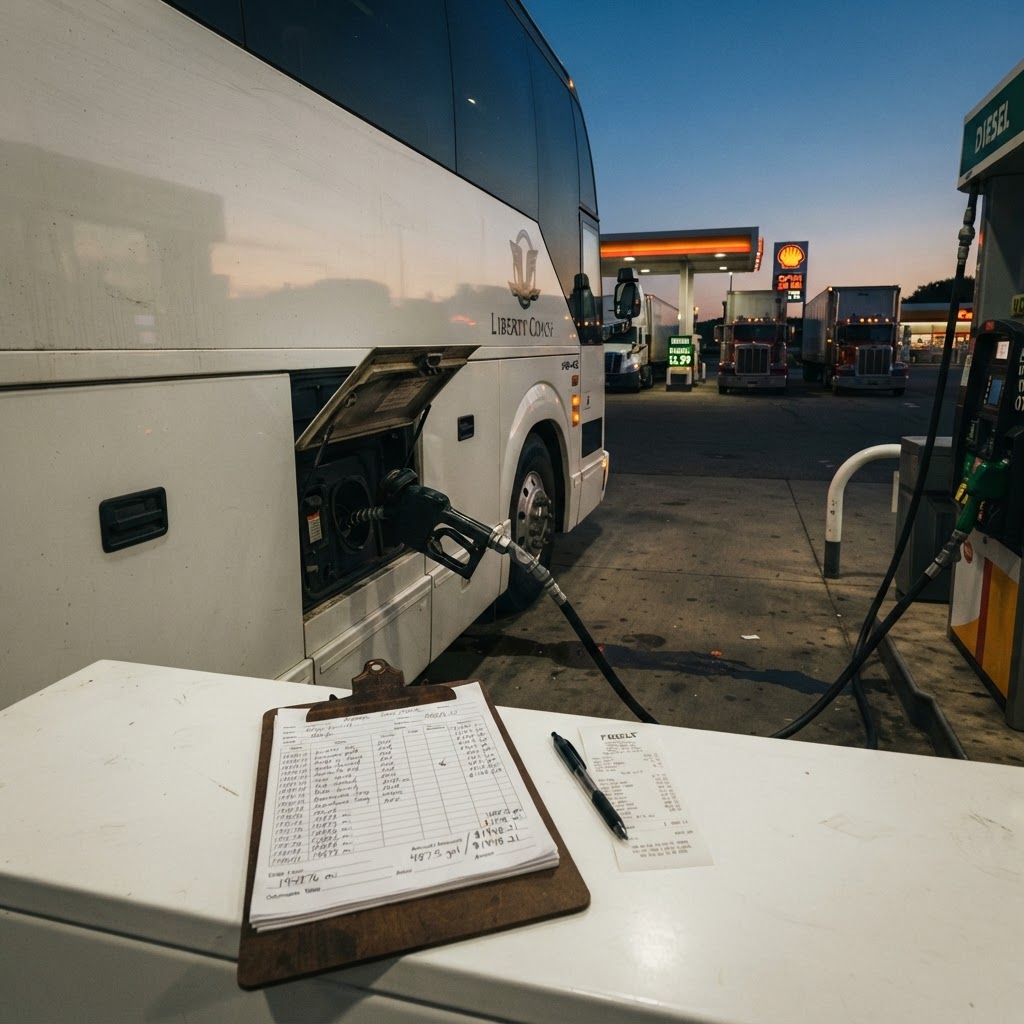
Simplify Quarterly Filing
Track fuel by jurisdiction, calculate taxes automatically, export audit-ready reports
48+
Jurisdictions
10hr
Saved/Quarter
99.9%
Accuracy
Drug & Alcohol Testing Program
DOT-compliant testing program with random selection, result tracking, policy management, and complete audit documentation
Drug & Alcohol Testing
Complete DOT testing program with random selection, scheduling, and result tracking
Random Test Selection
Cryptographically secure random driver selection meeting DOT unpredictability requirements
Test Result Tracking
Upload results, flag non-compliance, trigger return-to-duty workflows automatically
Policy Management
Digital policy distribution with driver acknowledgment tracking and compliance reporting

Random Selection
DOT-compliant cryptographic randomization for quarterly drug and alcohol testing

Result Tracking
Upload results, manage return-to-duty workflows, maintain complete compliance history
Complete Fleet Maintenance System
Daily turn inspections with photo uploads, automatic work order creation, parts inventory, and comprehensive maintenance tracking
Daily Turn Inspections
Complete checklist with photo uploads and automatic work order creation for failures
Inspection Photos
Upload unlimited photos - front, sides, engine, damage. Auto-attach to work orders
Auto Work Orders
Failed inspections become work orders instantly with photos and notes transferred
Recurring Schedules
Automate daily, weekly, monthly inspection reminders - never miss an inspection
Maintenance Analytics
Track costs, identify failure patterns, optimize maintenance budget
Parts Inventory
Track parts, low stock alerts, usage from work orders, cost analysis

Photo Documentation
Upload unlimited photos during inspections - front, sides, engine, damage. Photos auto-attach to work orders
Unlimited
Photos
6
Categories
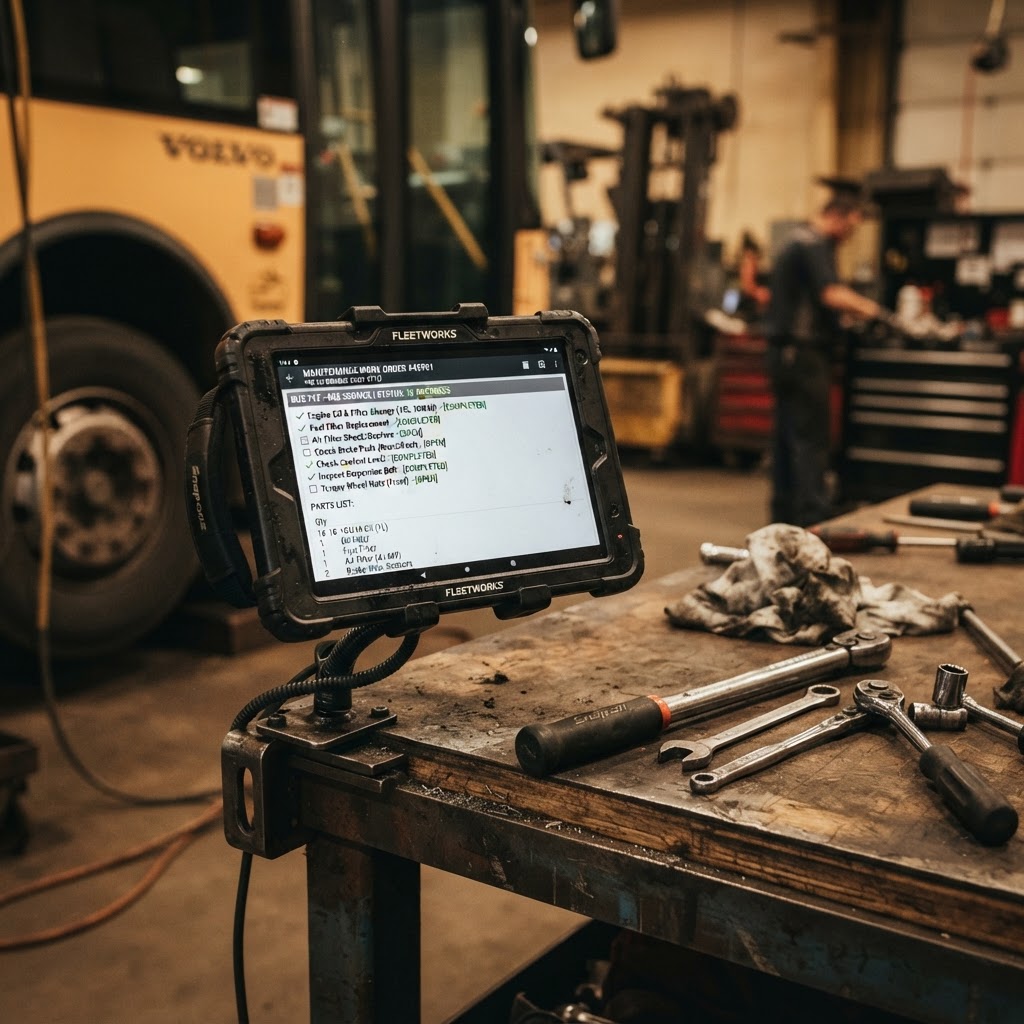
Instant Work Orders
Failed inspections create work orders in one click. Photos, notes, and details transfer automatically to shop
<30s
Creation
100%
Transfer
Complete Driver File Management
Comprehensive driver documentation system with expiration tracking, version control, OCR data extraction, and DOT qualification file management
CDL & Medical Cards
Track licenses and medical cards with 90/60/30-day expiration alerts
Background Checks
Upload screening results with renewal schedules and expiration tracking
Driver Certifications
Manage passenger assist, defensive driving, first aid, and specialized training
Document Version Control
Complete version history for every document with timestamp and uploader tracking
Qualification Files
DOT-compliant driver qualification files with annual review scheduling
OCR Document Extraction
AI extracts data from document photos - license numbers, dates, no typing needed
Compliance Dashboard
Visual compliance status for entire fleet with color-coded alerts
Expiration Alerts
Automatic email and SMS alerts at 90, 60, and 30 days before documents expire
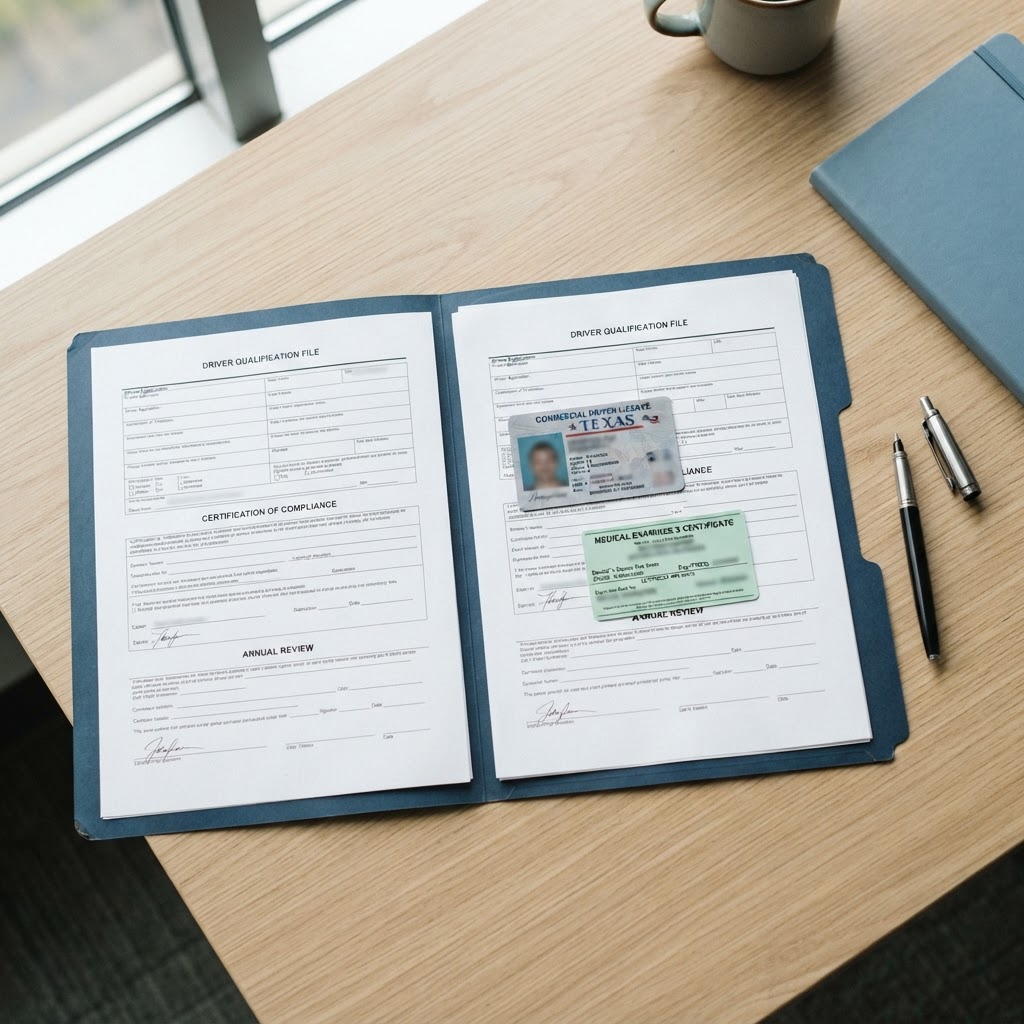
Document Storage
Secure cloud storage for all driver documents with version history
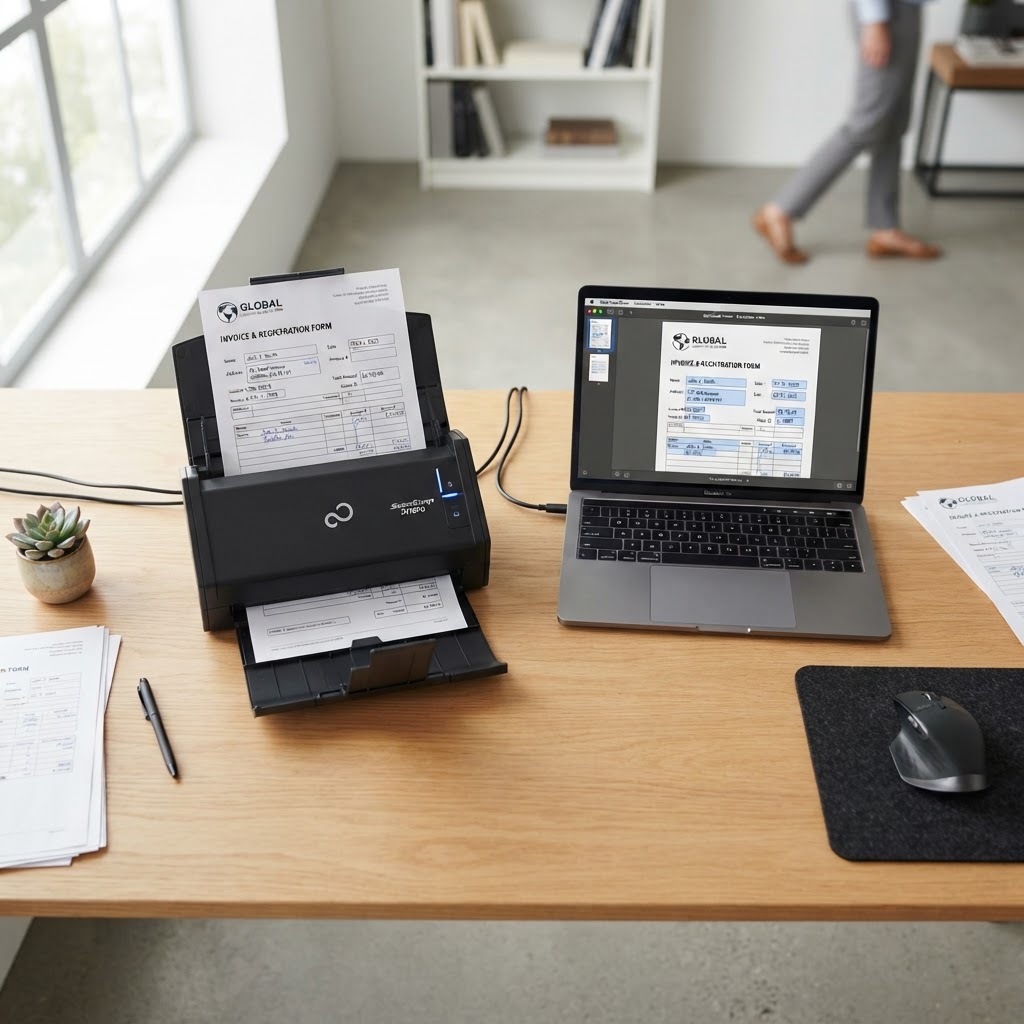
AI Data Extraction
OCR automatically extracts license info from photos - no typing
Compliance Tracking
Color-coded dashboard shows fleet compliance at a glance
Complete Payroll & Timekeeping System
Automated payroll processing for drivers and staff with time tracking, tax calculations, direct deposit, pay stub generation, and complete tax document management
Time Clock & Timecards
Public time clock accessible from any device with automatic timecard creation and overtime tracking
Automated Payroll
Process payroll for hourly, daily, per-trip, and salaried employees with tax calculations and direct deposit
Pay Stub Generation
Auto-generate detailed pay stubs showing gross pay, deductions, taxes, and net pay with PDF delivery
Direct Deposit Setup
Secure bank account setup with encrypted storage and automatic ACH payment processing
Tax Forms & W-2s
Generate W-2s, 1099s, W-4s automatically with employee self-service access and IRS e-filing support
Payroll Analytics
Track labor costs, overtime trends, department expenses, and tax liability with detailed reporting
Multi-Rate Payroll
Support hourly, daily, per-trip, and salary pay types with overtime multipliers and bonus tracking
Flexible Pay Periods
Weekly, biweekly, semi-monthly, or monthly pay schedules with automatic period calculations

Automated Payroll
Process payroll for entire team with automatic tax calculations, deductions, and direct deposit in minutes
100%
Automated
4
Pay Types

Tax Document Management
Auto-generate W-2s, 1099s, and W-4s with employee self-service access and secure digital delivery
W-2/1099
Auto-Gen
IRS
Compliant
Background Checks & Motor Vehicle Reports
Streamlined driver screening with automated background checks, MVR requests, and pre-employment compliance verification
Automated Background Checks
Request background checks through integrated providers with automatic result tracking
MVR Requests
Generate and submit Motor Vehicle Report requests to all 50 states with status tracking
Pre-Employment Screening
Complete hiring compliance workflow from application to qualification file creation

Automated Driver Screening
Request background checks and MVRs from integrated providers, track results automatically, maintain complete hiring compliance
50
States
Auto
Tracking
100%
Compliant
Farm-Out Management System
Subcontract trips to vetted partner companies with automated compliance tracking, COI monitoring, safety rating reviews, and seamless communication
Partner Company Database
Manage farm-out partners with contact details, pricing, drivers, and trip history tracking
COI Tracking & Alerts
30-day expiration alerts for Certificates of Insurance with one-click email renewal requests
Safety Rating Reviews
Annual safety rating reviews with automatic reminders 30 days before review is due
Automated Trip Sheets
Auto-email partner companies with complete route details, stops, and downloadable PDF
Driver Management
Store partner company drivers for quick assignment with name and contact information
Performance Tracking
Monitor trip counts, revenue, ratings, and compliance status for each partner
Compliance Dashboard
Real-time alerts for expiring COIs and overdue safety reviews on compliance dashboard
Trip History & Stats
Track all farmed-out trips with clickable reservation links and revenue totals

Compliance Tracking
Automatic alerts for expiring COIs and safety rating reviews with one-click renewal requests
30-Day
Alerts
1-Click
COI Request

Automated Communication
Farm out a trip and partner receives full route details, stops, times, and PDF trip sheet automatically
Auto
Trip Sheet
Shuttle Program Management,
Down to the Last Detail
Multi-day convention shuttles are the most detail-heavy work a motorcoach company takes on — dozens of shifts, rotating drivers, split loops, partner buses and hours that change on the ground. Charter Quote Pro manages the entire program in one place, shift by shift.
In shuttle work, the small details are the whole job
Charter Quote Pro captures every one of those details as structured data — then prints it on the exact document each person needs, so nothing lives in someone's head or in a spreadsheet nobody else can read.
Day-by-Day Route Builder
Build every operating day of a convention shuttle — unlimited routes per day, unlimited shift blocks per route, each with its own start and end time, shift code and driving instructions. Save routes as reusable templates scoped to that program.
Driver & Bus Assignment
Assign a driver and a bus to every individual shift, not just to the trip. The system flags any driver or bus double-booked across overlapping shifts before the schedule ever reaches the street.
Shift Codes on Every Document
Give each shift an operational code (A1, PM-2, LOOP-3) and it prints on the schedule, the driver trip sheet, the partner farm-out sheet and the final report — so dispatch, drivers and partners all speak the same language.
Per-Shift Farm-Out
Short a bus for two shifts on Tuesday? Farm out those exact shifts to a partner company with their own driver name, cell number, bus number and pay amount. Consolidated partner sheets are generated and emailed per company.
Hourly or Day-Rate Billing
Bill per scheduled hour per bus or a flat day rate per bus. Add or deduct manual rate adjustments with a reason on the record, and every number flows to the invoice and into QuickBooks as its own line item.
Schedules, Trip Sheets & Reports
Export the full program schedule as a branded PDF or Excel workbook, print individual driver trip sheets, and generate a final report with adjusted hours, the driver roster and every shift incident note.
Customer Communication Built In
Email the on-site coordinator every driver name, bus number and phone number in one click, then send the comprehensive final report when the program wraps — no spreadsheets, no copy-paste.
Finalize with Actual Hours
When the convention ends, enter the hours actually worked shift by shift. The program locks, the invoice recalculates against real hours plus adjustments, and the record becomes an audit-ready history.
From reservation to final invoice
Create the program from the reservation
Build each day’s routes and shifts
Assign drivers, buses or farm-out partners
Send schedules, trip sheets and partner sheets
Track incident notes and hour changes live
Finalize on actual hours — invoice syncs out
Command center for large-scale shuttle programs
A standalone workspace for conventions, festivals and special events: coordinate partner operators, drivers, buses and on-site teams across every program from one place.



Scan the stop. See the next shuttle.
Post a QR code at each stop. Passengers scan it with their phone camera and get a live map and a countdown to the next shuttle at their stop, without signing in.
It gives convention riders the same feel as a rideshare app: watch the bus move toward you on the map, see exactly how many minutes away it is, and walk out the hotel door right on time.
- Print a QR sign for every stop in one click
- Riders scan to see the route map and live bus locations
- Countdown to the next shuttle using live GPS and traffic
- Falls back to the schedule when GPS is offline, no app download needed
Program-Specific Schedules
Run New Orleans, Memphis and every other program side by side, each with its own isolated schedule, routes and runs. Copy whole days and bulk assign in seconds.
Partner Operator Network
Invite partner companies to their own portal where they manage drivers and buses, see assignments and download statements.
Driver App with 4-Digit Code
Drivers sign in with a simple code, start and complete runs, log passengers at each stop and report bus issues from their phone.
Live GPS & Geofences
Watch every bus on a live map. Geofence alerts text admins and on-site staff when buses arrive or leave a venue.
SMS, Email & Meetings
Daily assignment texts, reassignment alerts, broadcast messages and one-click video meetings for drivers, partners and on-site teams.
On-Site Kiosk
A PIN-locked tablet for event staff with live runs, GPS, service alerts and direct driver messaging.
Partner Billing & Statements
Daily partner amounts, additions and deductions, payments and branded PDF statements, all reconciled automatically.
Passenger & Efficiency Reports
Passenger counts, hours worked, driver rankings and geofence entry reports, exportable to PDF, Excel and Google Sheets.
- Isolate logistics per city and event
- Cut dispatch calls with self-serve driver and partner apps
- Know where every bus is in real time
- Invoice partners accurately with zero spreadsheets
And So Much More
Compliance, payroll, documents and integrations, all built in.
Motive Integration
Sync ELD, HOS, GPS, DVIRs, fault codes and IFTA mileage from Motive automatically.
View detailsQuickBooks Integration
Push invoices, customers and payments to QuickBooks Online with automatic reconciliation.
View detailsIFTA Fuel Tax Reporting
Quarterly fuel tax reports with jurisdiction tracking, bulk fuel import and audit-ready exports.
View detailsDrug & Alcohol Testing
DOT-compliant random selection, result tracking and policy acknowledgments.
View detailsDriver File Management
CDLs, medical cards and qualification files with AI extraction and expiration alerts.
View detailsPayroll & Timekeeping
Time clock, multi-rate payroll, pay stubs, direct deposit and tax forms.
View detailsBackground Checks & MVRs
Automated driver screening and motor vehicle reports across all 50 states. Coming soon.
View detailsMaintenance Knowledge Center
AI troubleshooting reports built from your vehicle history, manuals and photos.
View detailsW9 & Certificate of Insurance Management
Store your W9 and COI on file, send them to customers directly from quote emails, and manage incoming COI requests with a one-click carrier forwarding workflow
W9 on File
Upload your company W9 PDF once in Settings — it's always ready to send. Toggle it on when emailing a quote and customers receive it instantly.
COI Storage
Keep your current Certificate of Insurance on file for instant distribution. View or update it anytime from the Company Documents settings.
Customer COI Request Portal
Customers submit COI requirements via a secure public form — organization name, address, special instructions, and attachments. No login required.
One-Click Carrier Forwarding
Review customer COI requests in your dashboard and forward them directly to your insurance carrier with one click. Carrier email stored in settings.
Sending W9 with Quote Emails
Upload your W9 once in Settings → Company Documents. From that point on, whenever you send a quote email, simply toggle "Send W9 with this email" and the customer receives your W9 alongside their quote — no manual attachments, no hunting for the file.
- Upload once, reuse every time
- Toggle on/off per quote email
- Always up to date when you re-upload
COI Request Workflow
When a venue or event organizer requires a COI naming their organization, send them a secure link from the quote email. They fill in their details — you get notified, review everything, and forward to your carrier in one click.
- Customer submits org name, address, instructions
- Staff notified by email with full details
- One-click forward to insurance carrier
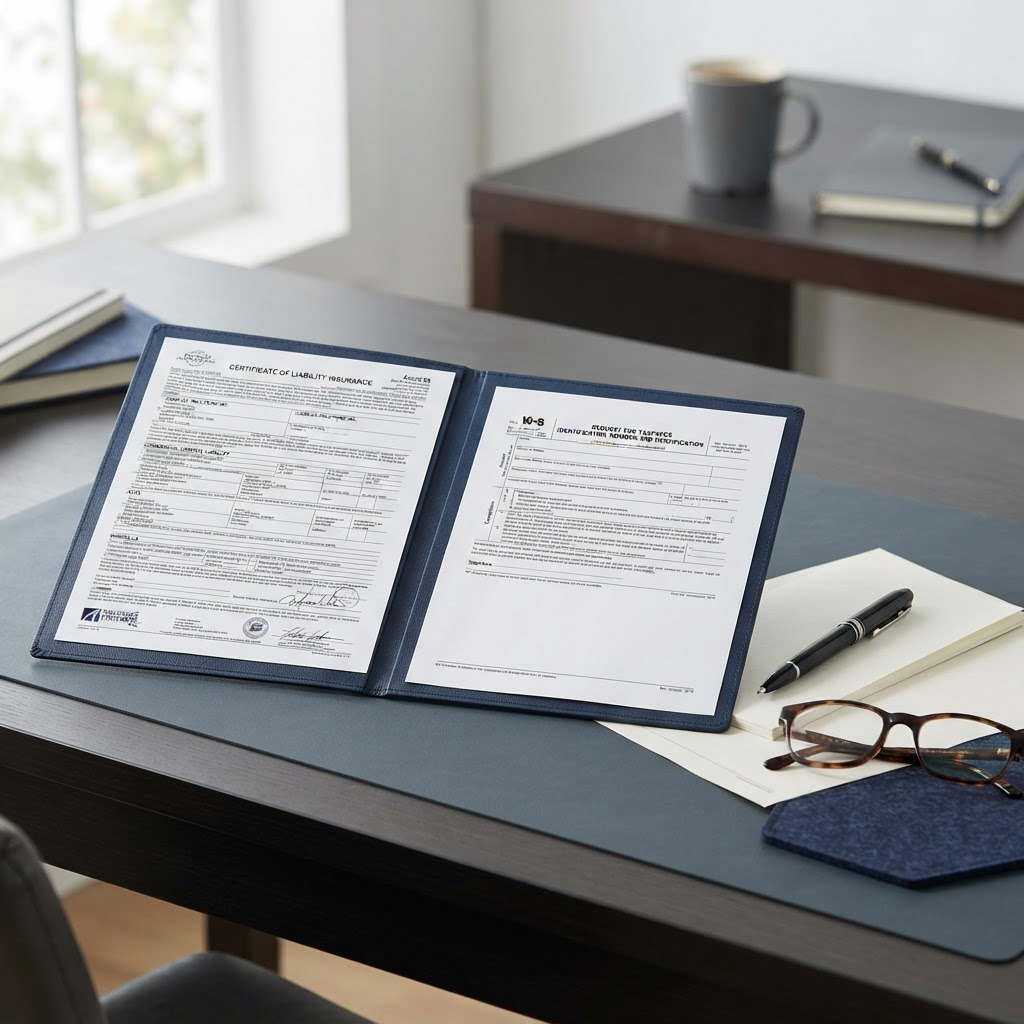
Always Ready to Send
Keep your W9 and COI on file and forward carrier requests in a single click.
Accident Files & Incident Reporting
Comprehensive incident and accident management with driver reporting, photo documentation, public sharing, and insurance communication tracking
Two-Tier Classification
Drivers file incidents, staff upgrade to accidents based on severity assessment
Photo Documentation
Upload unlimited photos of damage, scene, vehicles, and conditions from mobile devices
Party & Witness Tracking
Document all involved parties, witnesses, police reports, and insurance information
Automated Notifications
Email accident reports to insurance companies with public view links and full documentation
PDF Export
Generate professional accident reports with all details, photos, and documentation
Public Sharing
Share accident files via unique URLs - no login required for insurance adjusters or attorneys
Communication Log
Track all emails sent about the accident with recipient names, dates, and sent by information
Incident Analytics
Track incident trends, common causes, and safety metrics across your fleet
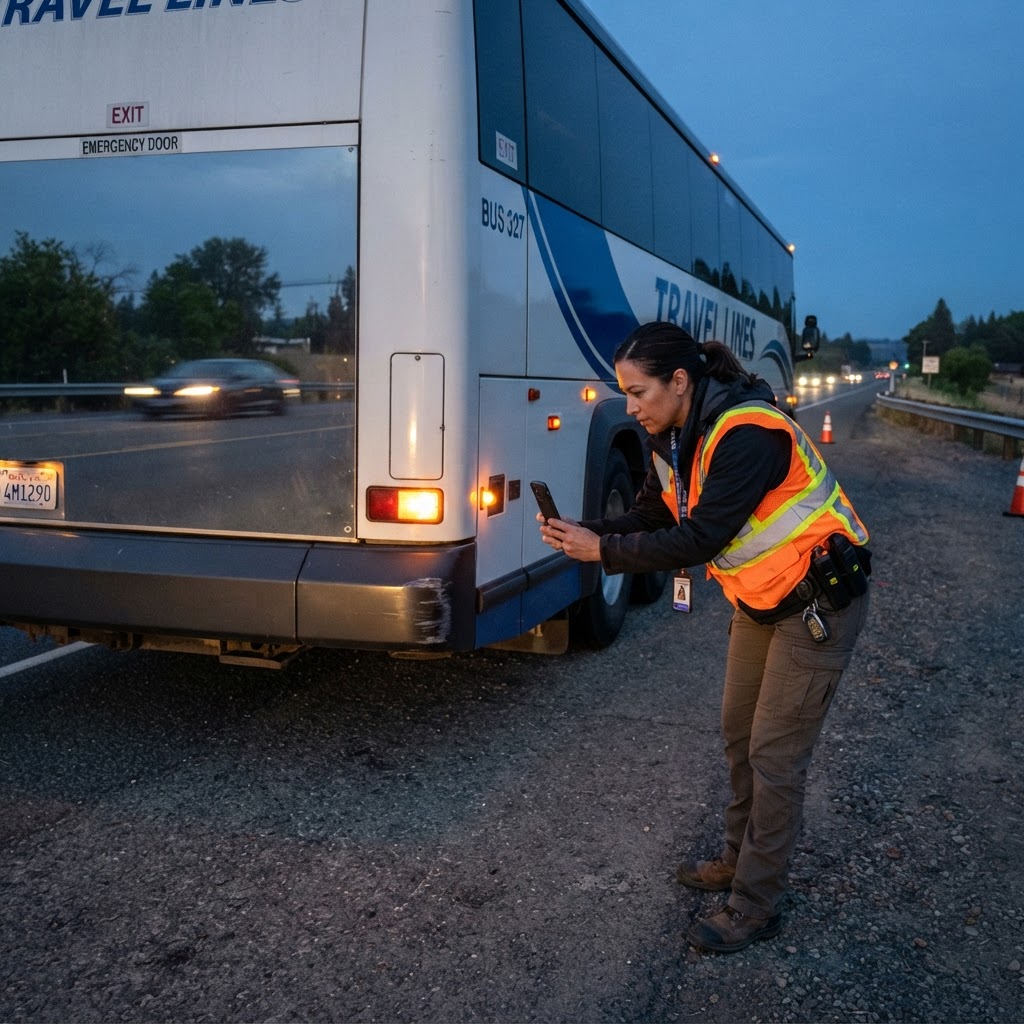
Driver Incident Reporting
Drivers file incidents from mobile with photos, location, and full details. Staff reviews and upgrades to accidents when needed.
Mobile
Friendly
Photo
Upload

Public File Sharing
Email accident reports to insurance with secure public view links. No login required for adjusters to view full details and photos.
Secure
Links
Tracking
Company Compliance Management
Track DOT safety ratings, SMS scores, violations, insurance certificates, and operating authority with comprehensive compliance monitoring
Company Compliance
DOT number, authority tracking, safety ratings, and comprehensive compliance monitoring
Safety Ratings
Track FMCSA safety ratings and SMS scores across all BASIC categories
Violation Management
Document and track all violations, crashes, and roadside inspections
Insurance Management
Track all insurance policies with expiration alerts and coverage verification
Annual Reviews
Automated annual driver record reviews with MVR requests and compliance checks
Authority Documents
Manage DOT/MC authority, state permits, and UCR registration

DOT Safety Ratings
Monitor FMCSA safety ratings and SMS scores with intervention threshold alerts
7
BASIC Categories
Real-time
Monitoring
Operating Authority
Track DOT/MC numbers, state permits, insurance certificates with expiration monitoring
50+
Jurisdictions
Auto
Alerts
Enterprise File Sharing &
Cloud Storage Integration
A centralized, intelligent document hub with Google Drive & OneDrive sync, e-signatures, file request dropboxes, inline commenting, and granular folder-level permissions — all in one place.
Unlimited
File Storage
Any file type
1-Click
File Requests
Public dropbox links
Google + OneDrive
Cloud Sync
Direct integration
Real-Time
Team Comments
@mention notifications
Intelligent Folder Library
Drag-and-drop uploads, nested folder hierarchies, custom tags, multi-select bulk actions, and advanced filtering. Build any folder structure your team needs.
File Request Dropbox
Send a branded email to anyone — clients, vendors, carriers — with a secure public upload link. No login required. Files land directly in the designated folder and you're notified instantly.
Granular Folder Permissions
Lock any folder to specific users or entire groups — All Drivers, All Staff, All Admins. Admins always retain full access. Lock icons show restricted folders at a glance.
Built-In E-Signatures
Request signatures on any document — signed copies are auto-saved back to the same folder with full audit trail. Works for team members, clients, or external parties with no login.
Inline Document Comments
Leave feedback directly on any file preview. @mention teammates — they receive instant email notifications. Thread replies, resolve discussions, and track open vs. resolved comments.
Upload Notifications & Workflows
Configure folder-level workflows to automatically email your team when files are uploaded. Activity logs track every action across your entire document library.
Google Drive Integration
Paste a share link to import directly
- Paste any Google Drive share link
- Files imported as clickable cloud shortcuts
- Configure full OAuth sync in Settings → Integrations
- Works with shared folders, files, and team drives
Microsoft OneDrive Integration
Connect your SharePoint & OneDrive
- Paste any OneDrive / SharePoint share link
- Files imported as clickable cloud shortcuts
- Configure OAuth in Settings → Integrations
- Supports personal, business, and enterprise accounts
Request Files from Anyone — No Login Required
Need a signed contract from a client? Insurance documents from a vendor? Simply select the destination folder, enter their email, describe what you need, and click Send. They receive a branded email with a secure upload link. When they upload, the file lands directly in the folder and you're notified instantly.
- Select folder → enter email → click Send
- Recipient uploads without any login or account
- File goes directly into your specified folder
- You receive an instant email notification
- Links expire automatically after 7 days
Pick folder & enter recipient email
Describe the file needed
Click Send — branded email delivered
Recipient uploads via secure link
File saved to folder, you're notified
Secure Document Sharing & E-Signatures
Centralize your team's documents with folder-level permissions, approval workflows, custom tags, and built-in electronic signature requests — all in one place.
Organized File Library
Create folders, drag-and-drop uploads, tag files for filtering, and sort by date, name, or size. Find any document in seconds.
Granular Folder Permissions
Restrict any folder to specific users or entire groups — All Drivers, All Staff, All Admins. Admins always retain full access.
E-Signature Requests
Send a signing request from any file. Recipients sign on a branded page — no login required. Signed copies are automatically saved back to the folder.
Upload Notifications
Configure folder-level workflows to automatically email team members when files are added. Admins always get notified of new uploads.
Folder-Level Access Control
Administrators can lock any folder so only authorized team members can see it. Grant access by individual user or entire groups — All Drivers, All Staff, All Admins, or All Customers — with a single click.
- Group-based access: All Drivers, All Staff, etc.
- Individual user invites by name or email
- Lock icon in sidebar shows restricted folders at a glance
- Admins always have full access — no lockout risk
Built-In E-Signature Workflow
Send signature requests directly from your document library. Recipients receive a branded email with a secure 7-day signing link — no account required. Signed copies are automatically stored back in the same folder with full audit trail.
- Works for team members, clients, or external parties
- Touch and mouse-friendly signature canvas
- Real-time status: Pending → Viewed → Signed/Declined
- Automatic reminder emails for pending requests

Signed, Tracked and Filed
Send signature requests, control folder access and keep a full activity trail on every file.
"Charter Quote Pro has transformed how we manage our fleet. What used to take hours now takes minutes."
— Fleet Operations Manager
Ready to Streamline Your Operations?
Join charter bus companies that trust Charter Quote Pro